DeepSeek Harness Catppuccin Mocha Theme
glass chrome · dark mode · MIT open source
Live Preview
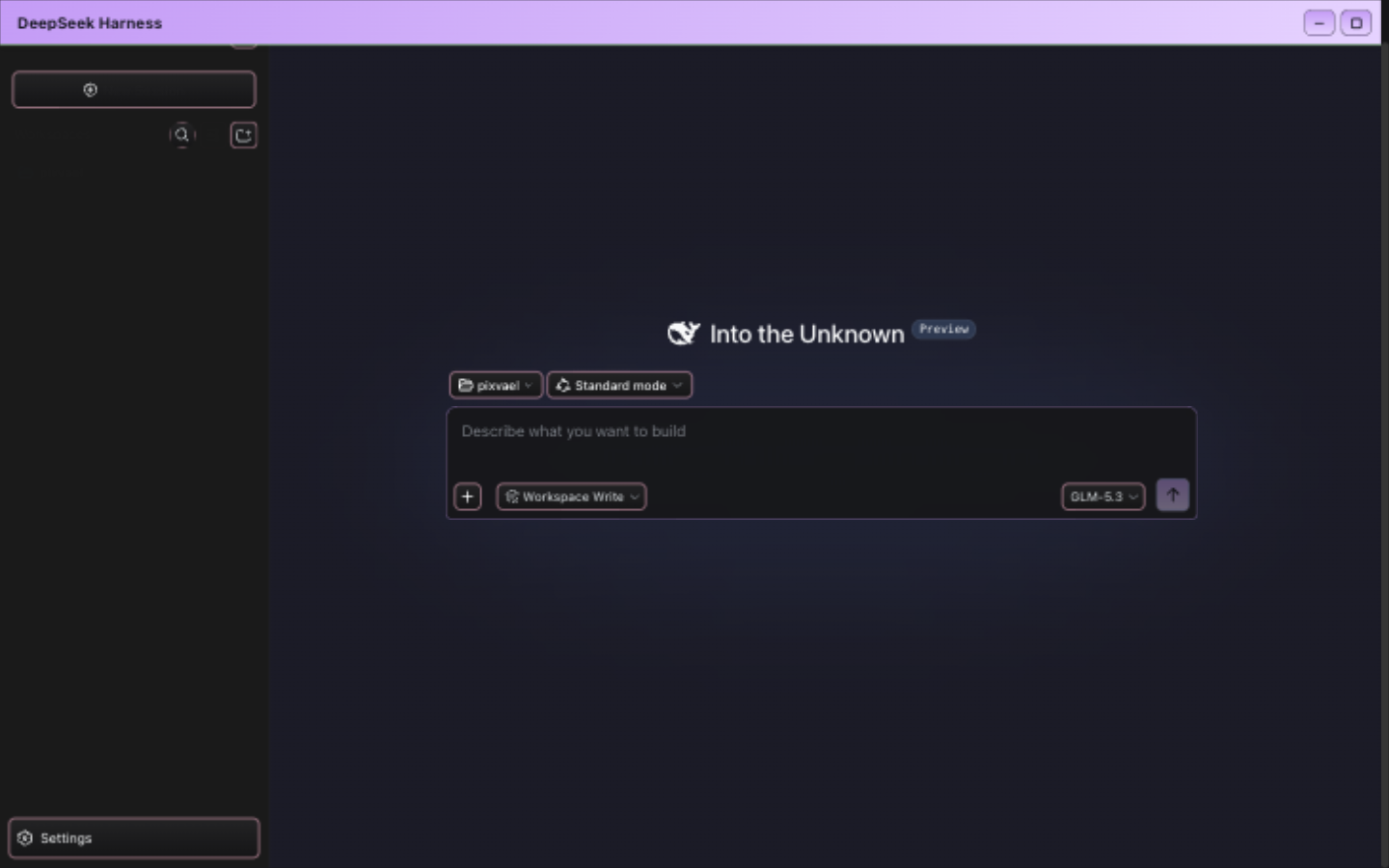
Why Catppuccin Mocha for DeepSeek Harness
Catppuccin is the soft pastel theme that took the developer world by storm in 2023-2025. Its Mocha variant uses warm, muted tones that feel like a cozy sweater for your terminal — and now for your agent workspace. If you spend hours in DeepSeek Harness reading code, reviewing diffs, and watching agent output, Catppuccin Mocha reduces eye strain without sacrificing personality.
Design Philosophy
Designed by Catppuccin team with the "soothing pastel for the high-spirited" ethos, Mocha balances aesthetics with readability. Every color is carefully tuned to maintain WCAG contrast ratios while feeling gentle. The mauve accent (#cba6f7) adds just enough color to distinguish interactive elements without overwhelming.
Features
- glass border style — soft, frosted-glass effect
- dark mode optimized for low-light environments and OLED screens
- Zero bitmap backgrounds — pure color derivation, no performance overhead
- One command install via official DSH plugin system
- MIT open source, supports skin pack import/export
Installation
# Step 1: Install the skin plugin
dsh plugin --profile web add dsh-skin-center

# Step 2: Restart DSH
dsh web

# Step 3: Select this theme
# Settings → General → Skin → Catppuccin Mocha
FAQ
How to switch back to the default theme?
Settings → General → Skin → click "Default". Instant restore, no restart needed.
What if DeepSeek Harness updates and breaks the theme?
The plugin uses zero source patches — it stamps the DOM at runtime. DSH updates most likely won't break it. Worst case, individual effects degrade to color-only.